Sidebar navigation
Open Alarms or Calendar straight from the sidebar. No switching screens and going back as on iPhone.
Updated
CAlarm is an iPhone app that rings a real alarm on a date and time you pick — something the built-in Clock app cannot do. From date-and-time alarms to pre-alerts, schedules, calendar and widgets, here is everything CAlarm can do.
Download on the App StoreThe iPad layout is not the iPhone screen blown up. A sidebar switches between Alarms and Calendar, and the extra width is used to show the month and the day's plans at once. Premium bought with the same Apple Account works on both devices.
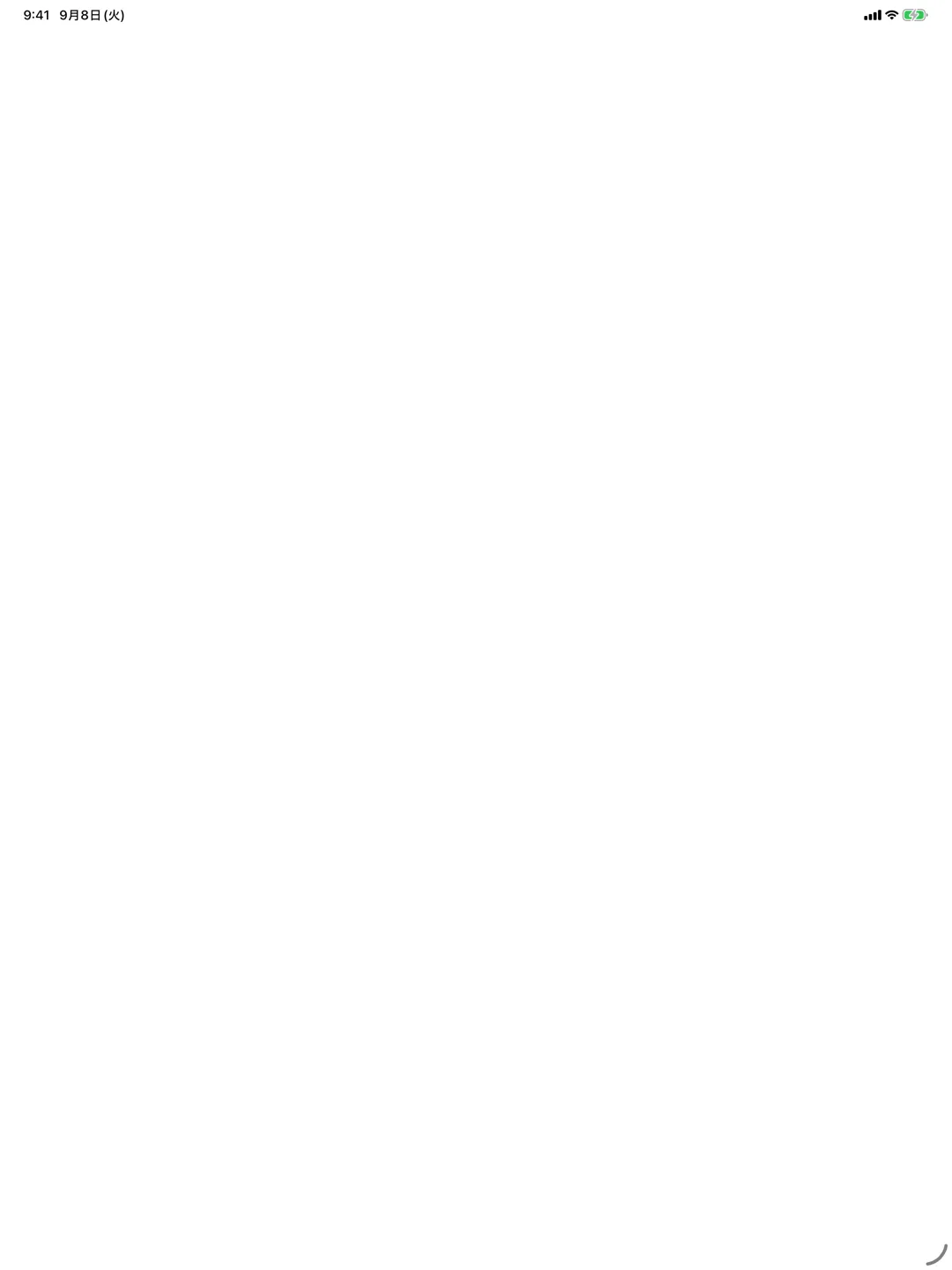
Open Alarms or Calendar straight from the sidebar. No switching screens and going back as on iPhone.
The month view and the day's plans sit side by side, so tapping a date does not replace the whole screen.
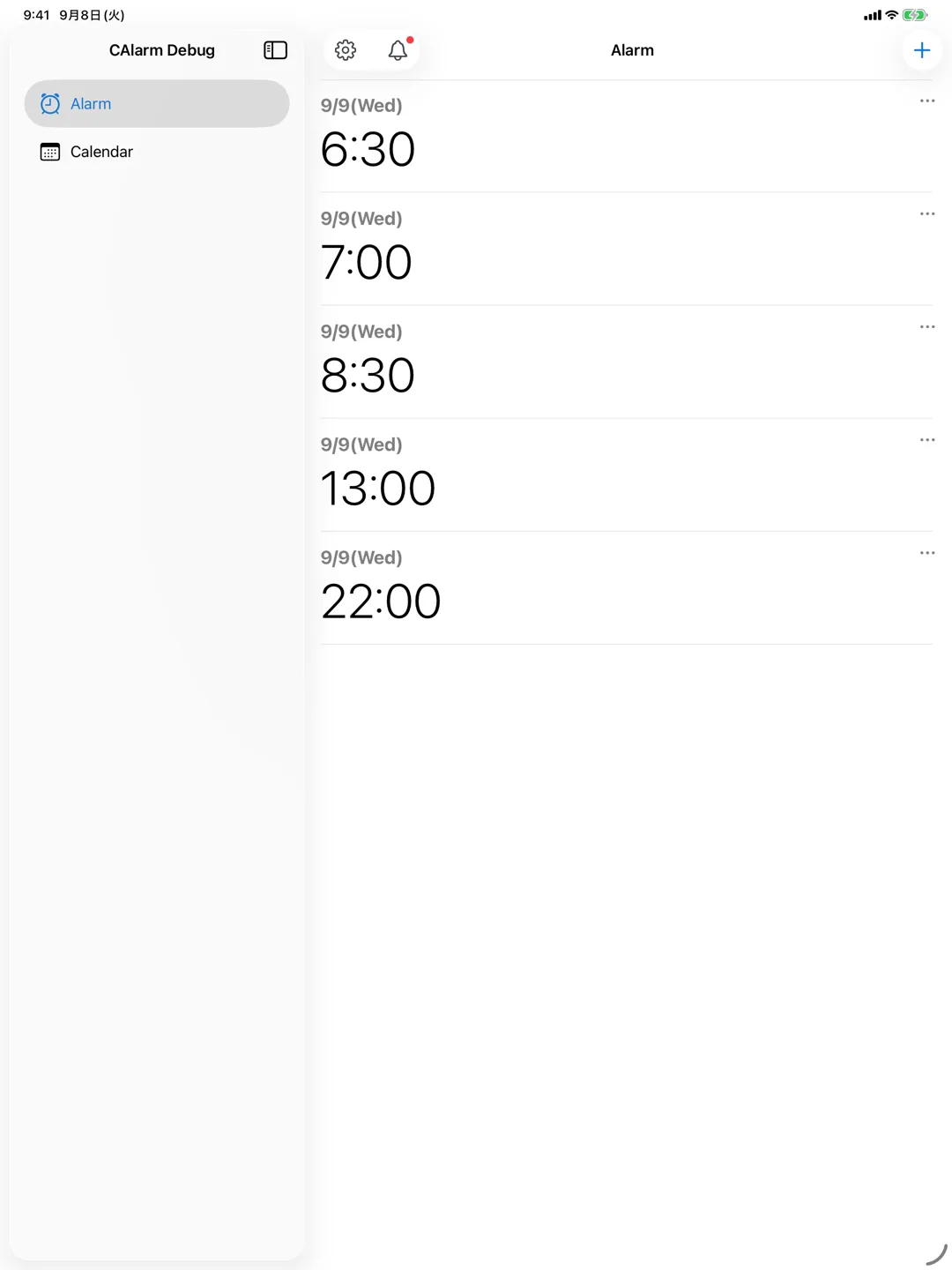
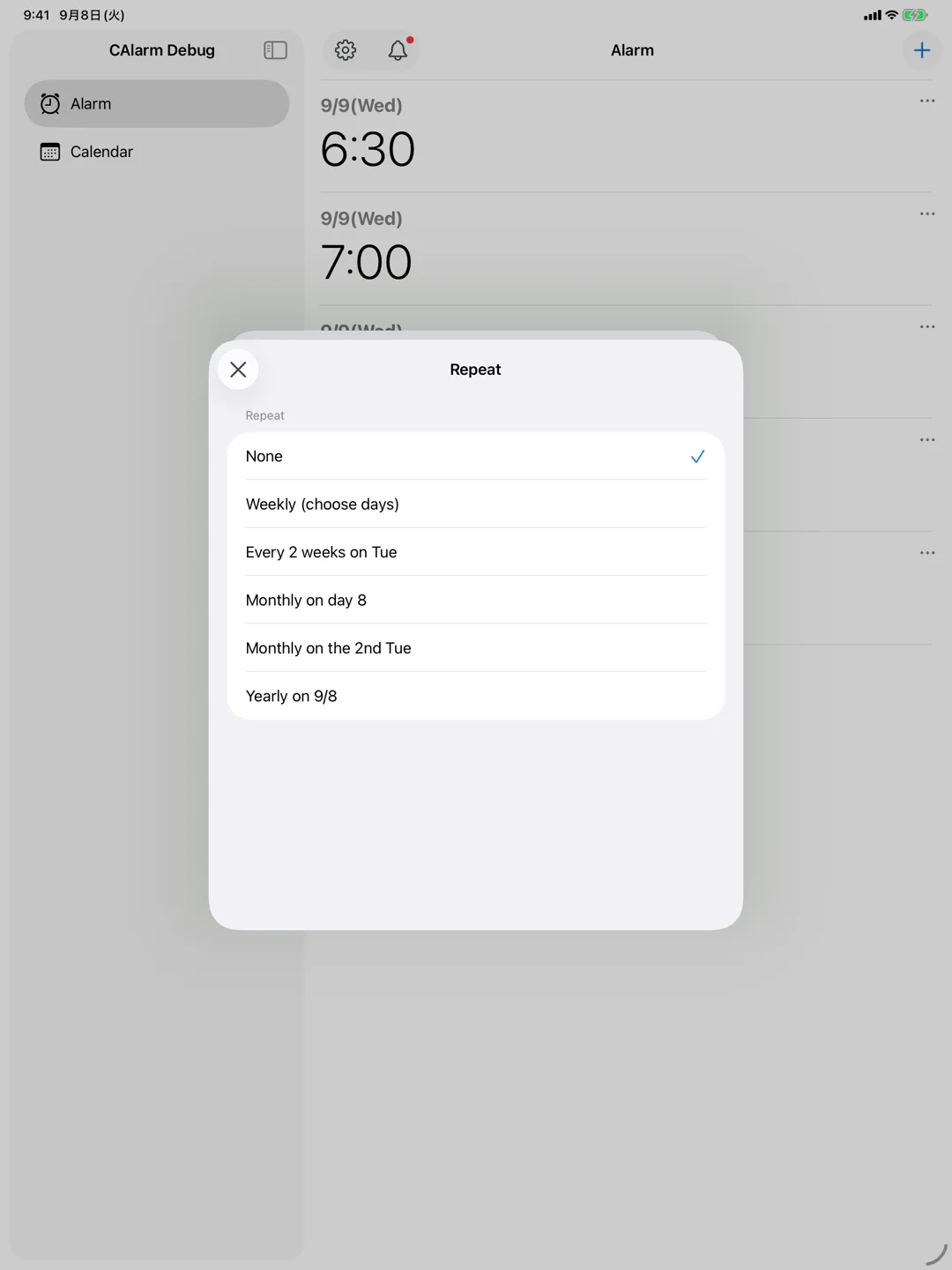
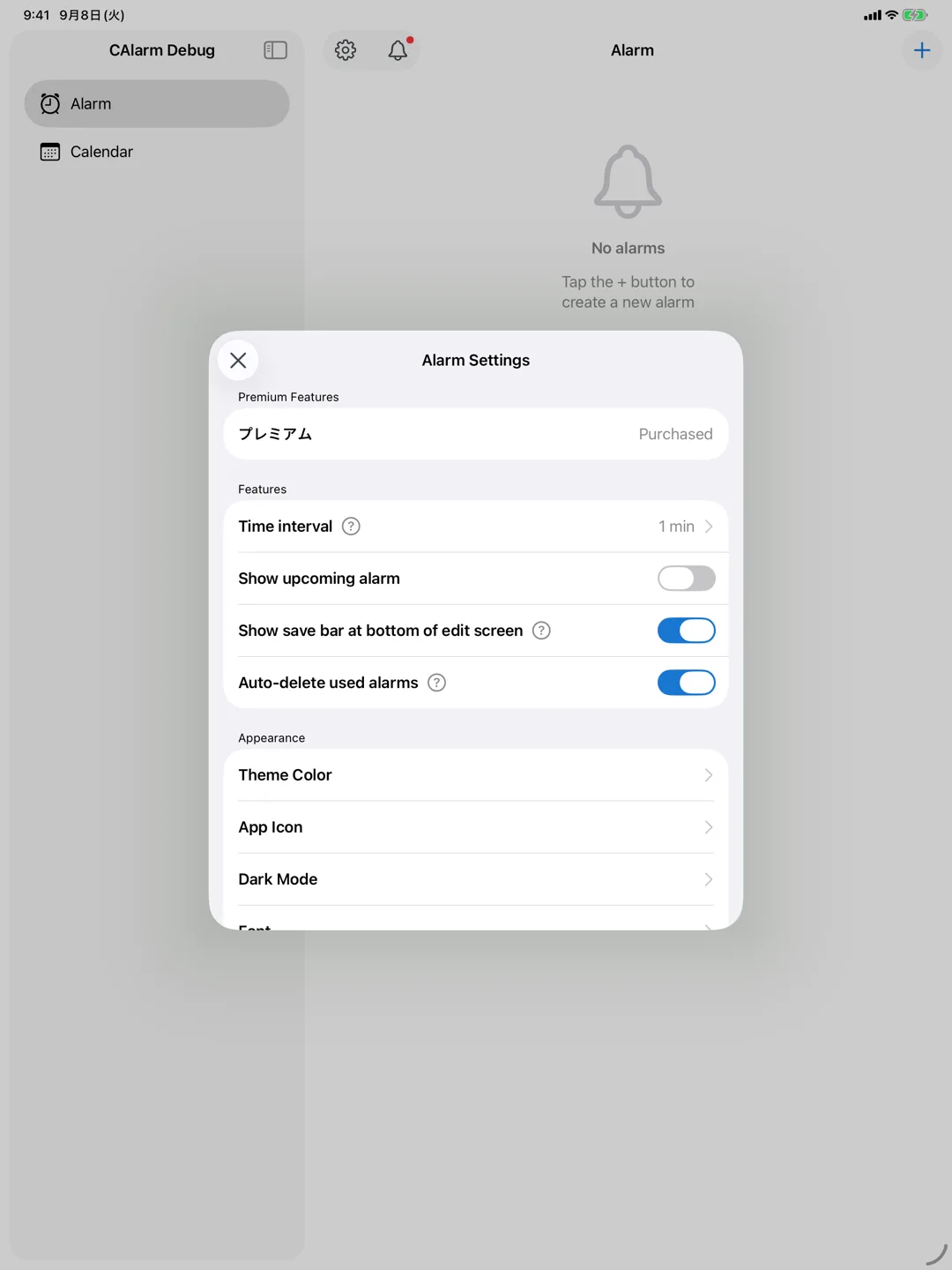
Adding and editing open centred over the list, so you keep the list in view while you work.
The built-in iOS alarm only lets you set a time. CAlarm lets you set both a date and a time, so it rings on the exact day.
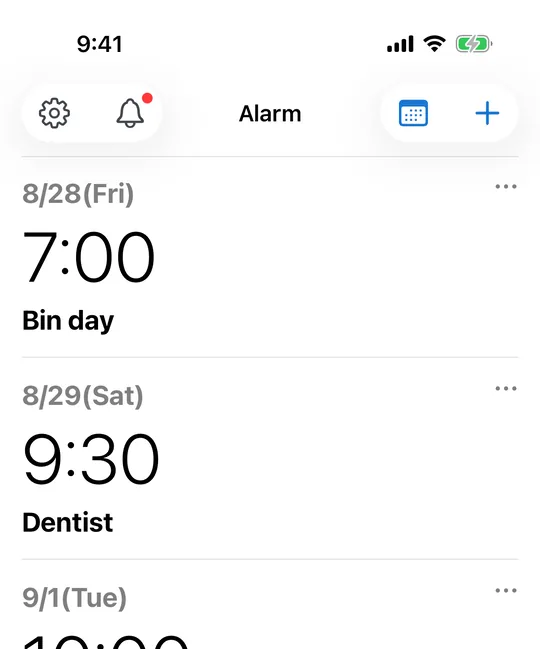
Set '15 Apr, 2:30 PM' to ring once on that specific date. You'll never forget the day of an event.
Combine any days Mon–Sun. Recurring alarms like every Monday and Thursday at 9:00 are easy to set up.
Create alarms straight from a schedule you've added, and link several alarms to a single schedule.
Long-press to duplicate an existing alarm, swipe to delete (with undo). Toggle recurring alarms on and off in one tap.
The built-in iOS alarm can only repeat by weekday. CAlarm adds monthly and yearly repeats, plus patterns like "the 2nd Friday of every month", so recurring commitments ring as real alarms.
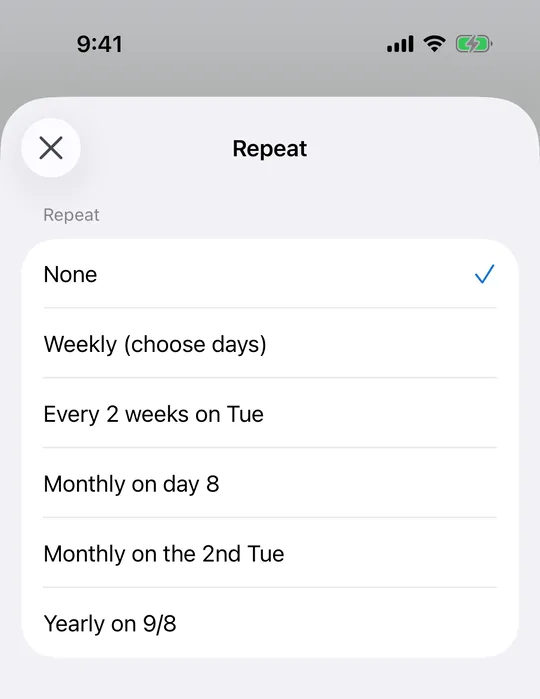
Repeat on the 25th of every month for rent, bills or inspections. If you pick the 31st, months without a 31st are skipped automatically — no need to rebuild the alarm.
Repeat by the position of a weekday within the month. The 1st through 4th are supported, so monthly stand-ups and committee meetings map directly onto an alarm.
Repeat on the last Friday of every month. Because it always resolves to the final matching weekday, the date never drifts between months with four and five weeks.
Biweekly repeats cover cycles a weekly schedule cannot express — alternating bin collections, fortnightly check-ups or one-on-ones.
Birthdays, anniversaries and annual renewals ring every year from a single setup. Pick 29 February and it rings on leap years only.
The repeat rule is derived from the date you have selected. Choose a day that is the 2nd Friday and "monthly on the 2nd Friday" appears as an option — you never count weeks yourself, and the day you picked is always part of the rule.
A weekly repeat is registered with the iOS alarm system (AlarmKit) as a repeat, so it keeps ringing indefinitely without opening the app. Biweekly, monthly and yearly repeats have to be registered one occurrence at a time, so CAlarm schedules the next 6 biweekly, 3 monthly or 2 yearly occurrences ahead and tops them up whenever you open the app or return to it. Your alarm list shows how far ahead each one is scheduled, for example "Scheduled through 10/9".
Biweekly, monthly, monthly-by-weekday, last-weekday and yearly repeats are Premium features. "No repeat" and weekly repeats are free.
CAlarm is built on Apple's AlarmKit (iOS 26). It uses the same mechanism as the built-in Clock app, so alarms arrive more reliably than notification-based apps.
It rings at the ringer and alarm volume, not the media volume. Even with media turned down, the alarm rings loud and clear.
It rings even in silent, Do Not Disturb, or Focus mode, so it won't go quiet and slip past you.
Alarms and reminders appear full-screen on the Lock Screen, so you notice the moment you glance at your phone.
A heads-up before the main event, so you don't lose time to prepare or travel.
Choose from 5, 10, 15, 30 minutes, 1 or 2 hours, 1 or 2 days, or 1 week before.
Add a title, note, or URL to a reminder and jump straight to what you need from the notification.
Pick from 25 sounds to match the moment.
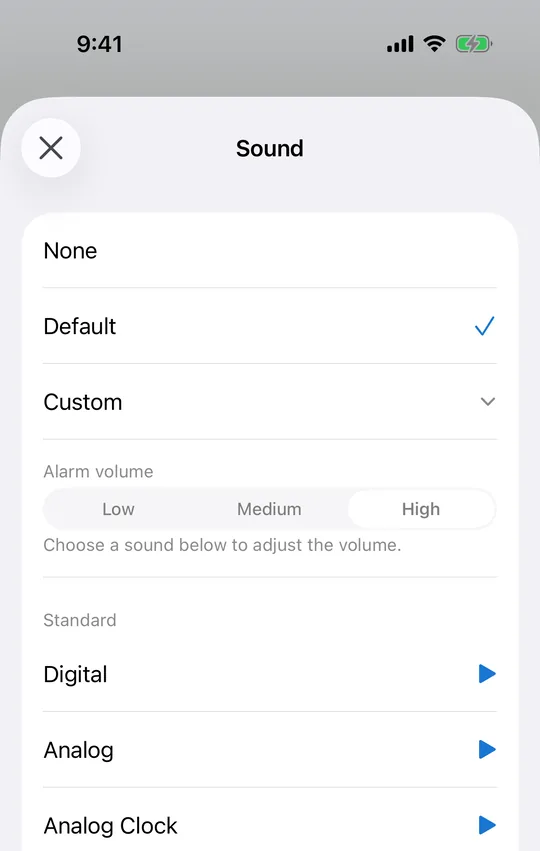
Classic (buzzer, digital, doorbell…), nature (birds, forest, river), music box, songs, seasonal, and emergency tones (including Japan's disaster-alert sound) — plus 'none'.
Snooze intervals from none, 1–30 min, 45 and 60 min, up to 2–12 hours — from short anti-oversleep gaps to a 12-hour long snooze.
Manage the events themselves, not just alarms — and save your common patterns as templates.
Set a title, start/end time, note, URL, and color. Link notifying reminders or silent milestones to each schedule.
Save recurring schedule patterns as templates and create them on any selected day in one tap.
Not just schedules — alarms, reminders, and milestones can each be saved as templates, and reordered by drag & drop.
A month view shows your schedules and alarms at a glance.
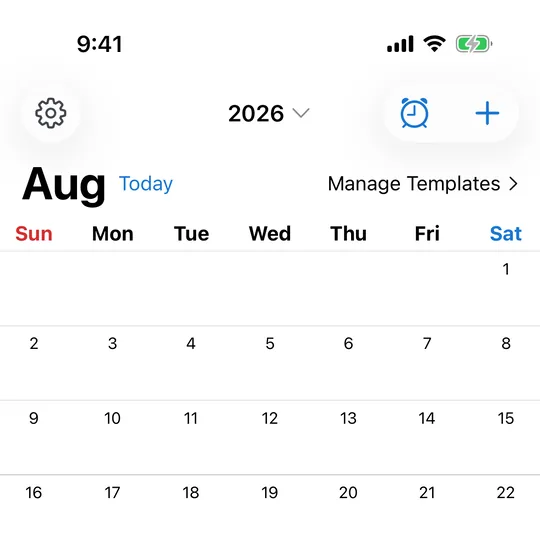
Scroll infinitely between months. Day cells show color markers for your registered schedules.
See a day's schedules as cards and a timeline, including events that span across midnight.
Check your next event or snooze status without opening the app.
Shows alarms, pre-alerts and time notes from your schedules together in time order. It lists everything from now onward instead of splitting by day, so overnight shifts do not get cut off. Three sizes. Tap to open the calendar.
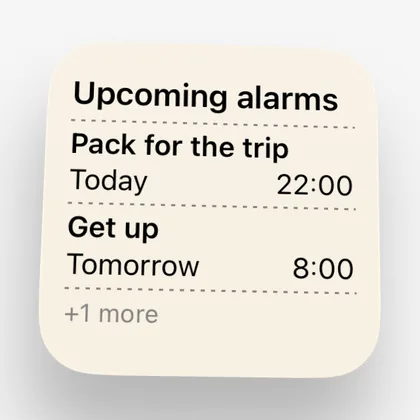
Shows the alarms that ring next. Small fits two; Medium splits the next two days that have alarms into two columns. It never filters to today and tomorrow, so it stays useful when your only alarm is weeks away. Dates read "Today", "Tomorrow" or "Sun, Sep 14". Alarms attached to schedules are included.
Under the clock, your next item with its date and time, what it is, and which schedule it belongs to. Above the clock, the time and title on a single line. A type icon tells an alarm apart from a pre-alert or a time note at a glance.
See the remaining snooze time in real time on the Lock Screen and Dynamic Island.
The Lock Screen widget is a Premium feature. The Home Screen calendar and alarm widgets are free.
An alarm app is something you open every day. It helps if the colours and the type suit you.
Ten colours to choose from: blue, indigo, teal, green, orange, red, purple, pink, light pink and grey. Picking any colour of your own is a Premium feature.
The Home Screen icon changes to match the theme colour you picked.
Follow the system, or pin the app to light or dark regardless of what the phone is doing.
The system font, or Roboto, Inter, Montserrat, Poppins, Lato, Nunito, Source Sans, Work Sans, DM Sans and Rubik among others.
Follow the system, or set seven steps from extra small to extra large inside the app alone.
The places where habits differ are settings rather than decisions made for you.
Set the picker to step by 1, 5, 10, 15 or 30 minutes. If five-minute precision is enough, you get there in fewer turns.
Choose whether one-time alarms are removed once they have rung. With it on, the list holds only what is still coming.
Show or hide the summary of today and tomorrow above the alarm list.
Hiding the previous-day, next-day and save bar gives the date picker more room. It hides itself while the keyboard is up.
Calendar holidays can follow Japan or the United States, or be switched off. The week can start on Sunday or Monday. Rokuyo, the Japanese six-day cycle, can be shown as well and is off by default.
The app opens on whichever of the alarm list and the calendar you had open last.
The app is not built on the assumption that everyone is looking at the screen.
Elements on the main screens carry spoken labels and state, such as selected or locked.
Text follows the system size setting, and the in-app text size can override it.
CAlarm is free to download, and date-specific alarms with weekly repeats stay free. Every purchase is one-time, with no subscription.
Clears the ad in the alarm list and the one shown when you stop an alarm.
A custom theme colour of your choosing, and an app icon to match.
Everything above, plus the advanced repeats (biweekly, monthly, monthly-by-nth-weekday, last weekday, yearly) and the Lock Screen widget.
All purchases are one-time with no auto-renewal. If you bought Remove ads or Theme colour first, an upgrade product prices Premium at the difference. Restoring purchases is available from the same screen.
Requires iOS 26.0 or later · Free (with in-app purchases)
← Back to home