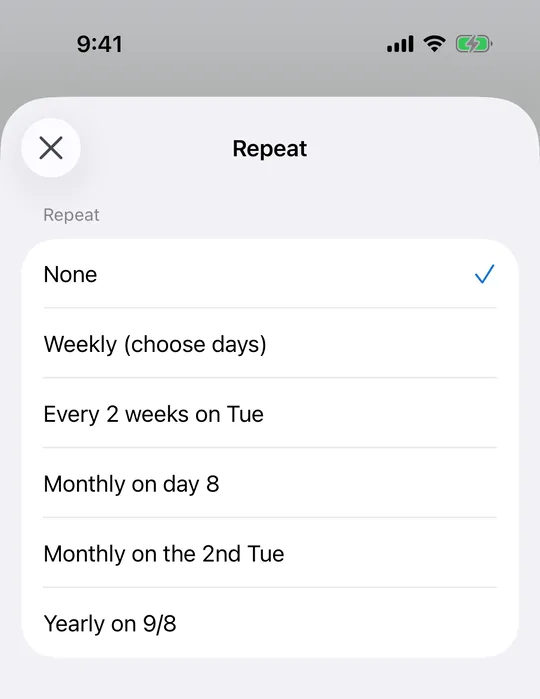
The date you picked is the pattern
Choose the date first, then open the repeat options. What you see is derived from that date, so picking a second Friday puts "2nd Friday of every month" in the list. You never count weeks yourself, and the day you chose is always part of the pattern you get.
Monthly by date, or by position in the month
In CAlarm, monthly by date handles the 25th of every month, and skips the months that have no 31st rather than drifting into the next one. Monthly by nth weekday handles the 1st through 4th of any weekday. There is no "5th Friday" because some months do not have one; use "last Friday of the month" instead, which never shifts.
Every two weeks, and once a year
CAlarm repeats biweekly on the same weekday every fortnight, counted from the date you picked. Yearly repeats on the same month and day, with 29 February firing only in leap years. Both cover the gaps between "every week" and "every month". See all repeat options for the full list.
How far ahead they are registered
Weekly repeats are handed to AlarmKit directly and run indefinitely without opening the app. The other patterns are registered a few occurrences ahead and topped up when you open CAlarm, which is how they stay accurate across months of differing length.
Where the wording comes from
The options are built from the date you have open, so selecting the 14th of a month offers "monthly on the 14th" and "the 2nd Friday of every month" in plain words. You are choosing a described pattern rather than filling in a rule and hoping you read it the same way the app does.