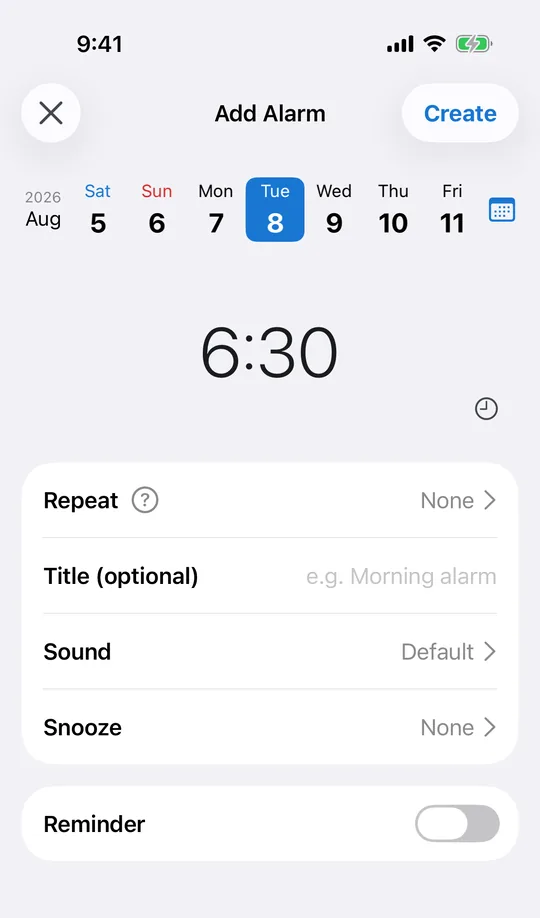
Pick the date and the time in one place
In CAlarm, choose the day on the week pager, then set the hour and minute below it. A date weeks or months out works the same as tomorrow, so a renewal or an appointment can go in the moment you hear about it rather than the night before. See the step-by-step guide for the full flow.
It rings once, then gets out of the way
A one-time alarm has its repeat set to "none", so it fires on that date and no other. With automatic cleanup switched on in settings, expired alarms are deleted for you. The list keeps only what is still coming, which matters once you have a dozen of them.
Reuse one you already made
Long-press an alarm in CAlarm to duplicate it, then change the date. The sound, the snooze interval and the pre-alerts come along with it. Swipe to delete, and undo if you swiped the wrong row.
It still rings when the phone is on silent
CAlarm registers alarms with Apple AlarmKit (iOS 26), so a one-time alarm behaves like the built-in clock alarm: it rings on silent and in Focus at ringer volume and takes over the Lock Screen. A date you only get one shot at is not the place for a notification that can be muted.
Add a heads-up if the date needs preparing for
A one-time alarm can carry a pre-alert, from five minutes to a week ahead. For anything that needs doing before the day itself — paperwork gathered, a form filled in, a bag packed — the useful warning is the earlier one, and the note and URL fields travel with it.