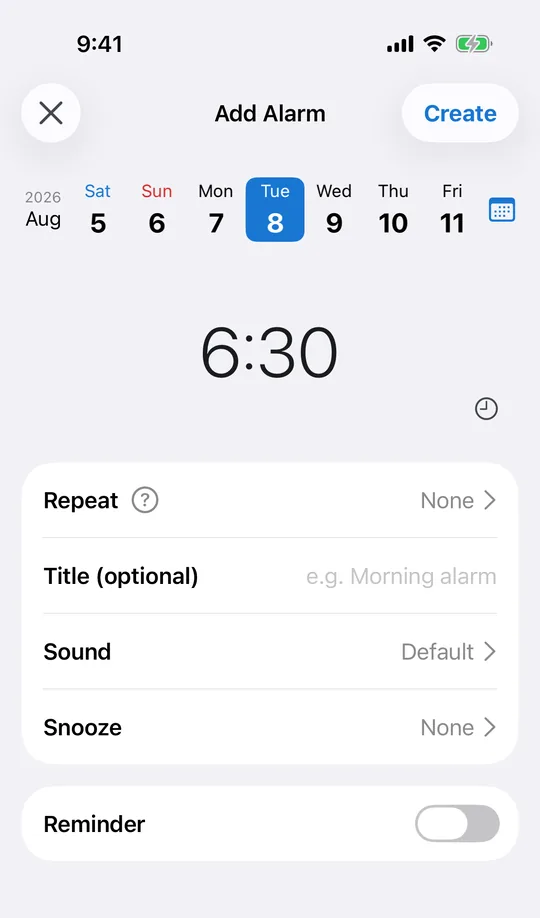
Set the exact date and minute
Enter the on-sale date and time directly in CAlarm. A date weeks out behaves the same as tomorrow, so you can set it the moment the announcement goes up rather than trying to remember the night before.
Be logged in before it opens
Add a pre-alert 5 or 10 minutes before. That is the window for opening the app, signing in and getting into the queue, which is usually where people lose the sale rather than at the moment of purchase.
Keep the link on the reminder
The note and URL fields hold the queue page, the seats you want, or the size you are after. When the alarm goes off you tap through instead of searching, which is worth more seconds than it sounds.
Line the picker up to the exact minute
The time step is a setting: 1, 5, 10, 15 or 30 minutes. On a coarser step the picker rounds you to the nearest five, which is no help for a sale that opens at 10:00 sharp. Set it to one minute and the alarm lands on the minute you were given.
Pick something you will not sleep through
CAlarm sets sound and volume per alarm, so this one can be louder than the rest without changing anything else. Volume is Low, Medium or High, and each sound has a preview button, so you can hear the combination before the day rather than after you have missed it.