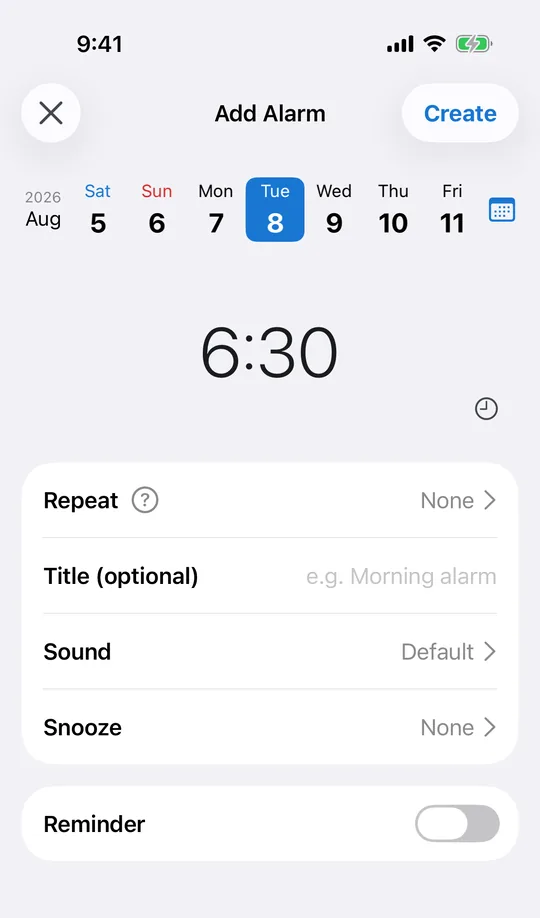
Set the time you want to be up, once
In CAlarm there is no repeat to configure: pick the time you want to wake and leave it there. It fires this once and, with automatic cleanup on, removes itself afterwards, so tomorrow does not inherit today’s nap.
Silent mode does not silence it
Sharing a room means the phone stays on silent. CAlarm alarms are registered through Apple AlarmKit, so they ring at ringer volume regardless. Being considerate does not have to mean sleeping through the alarm.
Snooze that matches the situation
Snooze runs from one minute up to twelve hours, set per alarm. A few minutes keeps you from dropping back off. Several hours acts as a backstop when the nap has already turned into a proper sleep and you still have somewhere to be.
The time left shows on the Lock Screen
While a snooze is running, the remaining time appears on the Lock Screen and in the Dynamic Island, counting down. Waking up halfway through and wondering how long is left is the part that ruins a nap; here you press the side button and read it.
Wake to something you do not hate
The CAlarm sound list runs from buzzers through nature sounds and music boxes, and each row has a preview button. For a nap in the middle of the day, something short of a fire alarm tends to work better, and you can set it on this alarm alone without touching your morning one.